.png)
11. Client Notes
All materials developed by ICA are based on the Bitfocus Clarity HMIS platform and reflect the most current information available to us. Materials are updated as new information, guidance, and functionality are released by the vendor. Because the system continues to evolve, there may be updates or changes to the interface or functionality that are not yet reflected in these materials. ICA will continue to review and update these resources as additional information becomes available from Bitfocus.
Client notes in HMIS provide a way to document important interactions, updates, and relevant information about a participant's progress and services. Notes should be clear, objective and professional containing information necessary to support service delivery and case management while adhering to privacy and confidentiality requirements.
New Hampshire– Users outside of your agency can view all details of a Note created under an enrollment but cannot make any edits.
Vermont - Under the Default Sharing settings, users outside of your agency can see a note created under an enrollment but cannot view the details or make any edits.
HMIS Workflow
To create a note within the Program:
- Click the Notes tab within the client record

- Click the Add icon

- Complete the note then click Save
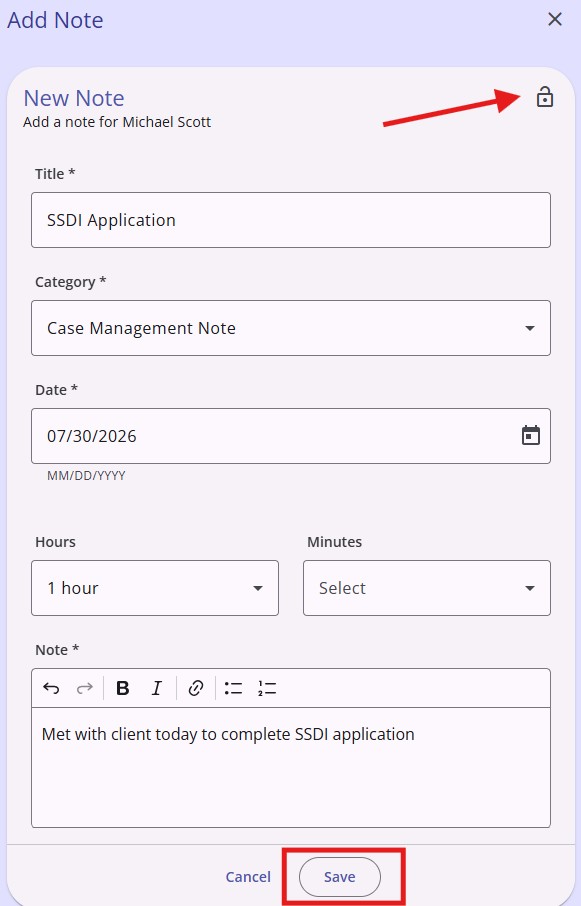
Note: To make the note private, click the lock button
To create a note under the Agency
- Click the Notes Tab on the navigation pane
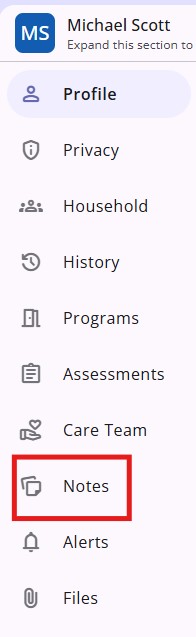
- Click the Plus Sign (+) to add a note

- Complete the note and click Save
Copyright © Institute for Community Alliances, 2026. All Rights Reserved.