.png)
1. Client Search
All materials developed by ICA are based on the Bitfocus Clarity HMIS platform and reflect the most current information available to us. Materials are updated as new information, guidance, and functionality are released by the vendor. Because the system continues to evolve, there may be updates or changes to the interface or functionality that are not yet reflected in these materials. ICA will continue to review and update these resources as additional information becomes available from Bitfocus.
Searching for a client is the first step in determining whether the client has a file in HMIS. Search for the client to ensure that there is not an existing file before creating a new client.
HMIS Workflow
Click the Clients icon in the primary navigation menu

You can search by:
- First name or last name (full or at least first 3 letters)
- Full Unique Identifier
- Full Social Security Number or last 4 digits of Social Security Number
- Date of Birth
- Year of birth
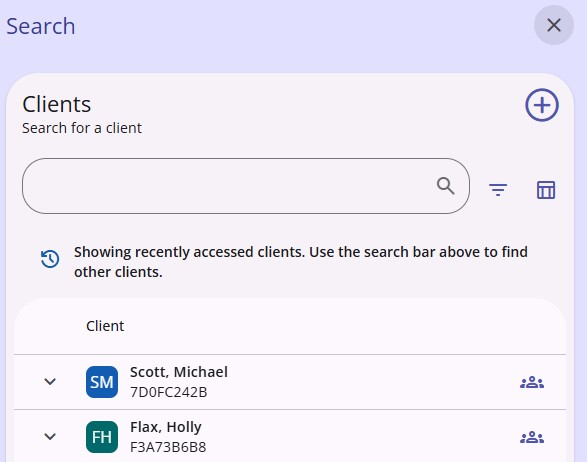
You may also search using the search icon at the top right of the screen

Recently accessed clients will populate
Copyright © Institute for Community Alliances, 2026. All Rights Reserved.