.png)
2. Creating a New Client
All materials developed by ICA are based on the Bitfocus Clarity HMIS platform and reflect the most current information available to us. Materials are updated as new information, guidance, and functionality are released by the vendor. Because the system continues to evolve, there may be updates or changes to the interface or functionality that are not yet reflected in these materials. ICA will continue to review and update these resources as additional information becomes available from Bitfocus.
Search for the client first to ensure that they do not already exist in the system. Once potential search combinations are exhausted, and you are confident the client is NEW to HMIS, you may proceed with creating a new client file.
HMIS Workflow
- Click the plus icon (+) on the Search for a client page to create a new record.

- The Client Form (enrollment) will populate. Complete all data elements
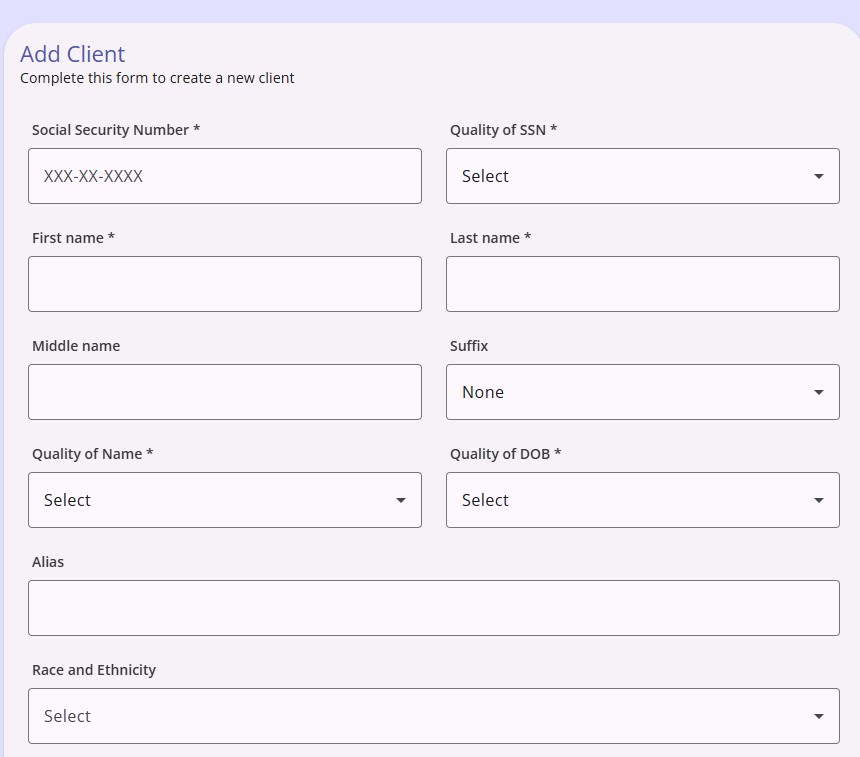
Certain fields are required before you can save the record. If a required field is left blank, the system highlights the field red to indicate why the record cannot be saved.
Copyright © Institute for Community Alliances, 2026. All Rights Reserved.