.png)
6. Current Living Situation
All materials developed by ICA are based on the Bitfocus Clarity HMIS platform and reflect the most current information available to us. Materials are updated as new information, guidance, and functionality are released by the vendor. Because the system continues to evolve, there may be updates or changes to the interface or functionality that are not yet reflected in these materials. ICA will continue to review and update these resources as additional information becomes available from Bitfocus.
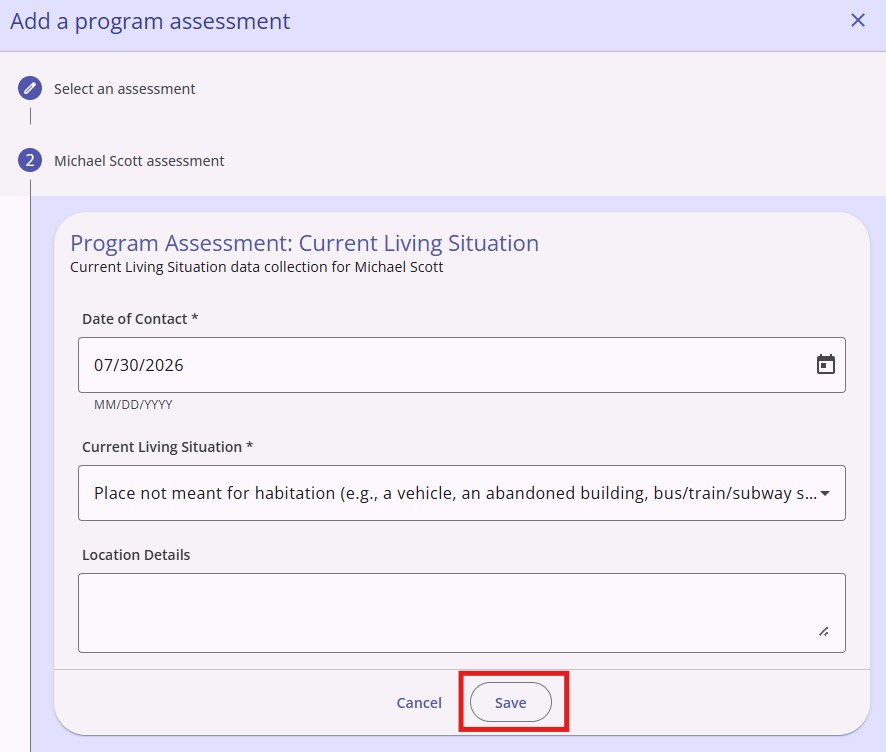
Some project types including Street Outreach require that every contact with a client be documented in HMIS using the Current Living Situation Assessment. This assessment documents where a participant is staying during program enrollment. Regularly updating this information helps track housing stability, measure program outcomes, and support accurate reporting on a participant's housing journey.
HMIS Workflow
- Navigate to the Programs tab on the client navigation menu
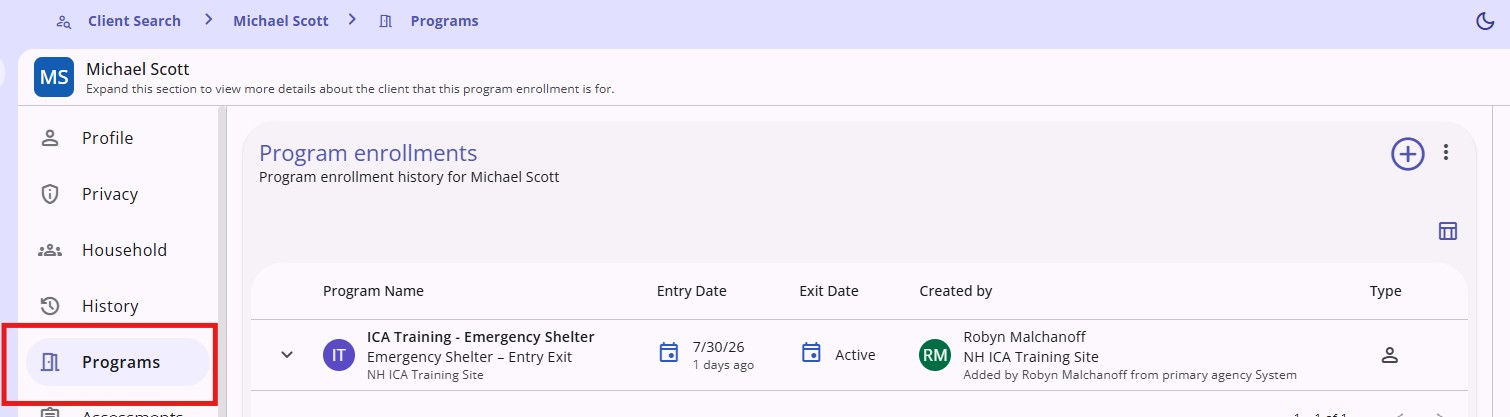
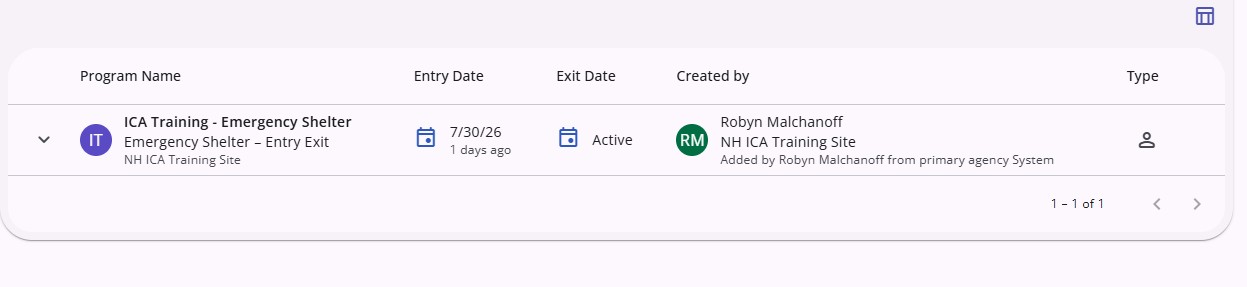
- Click on the name of the program enrollment for which you will be completing the assessment
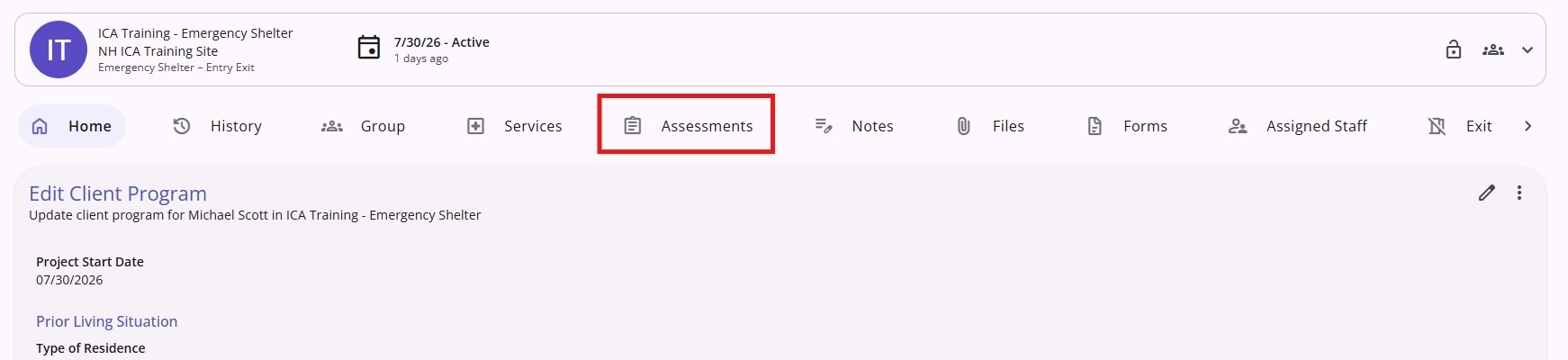
- Click the Assessments tab
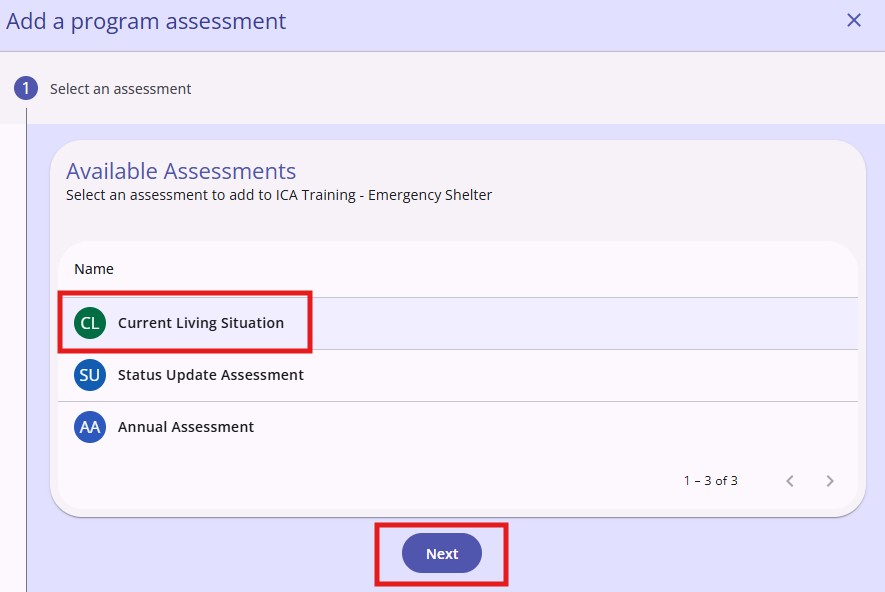
- Click on the Add icon, click on Current Living Situation from the Available Assessments page, and click Next.
- Complete the assessment and click Save
Current Living Situation Report
There is a Current Living Situation report that can be used to track the most recent Current Living Situation entered into the system. To run this report, you must have a Looker license.
To learn how to run this report, click this link: New England HMIS Users | Current Living Situation Report
Copyright © Institute for Community Alliances, 2026. All Rights Reserved.