.png)
10. Documenting Services
All materials developed by ICA are based on the Bitfocus Clarity HMIS platform and reflect the most current information available to us. Materials are updated as new information, guidance, and functionality are released by the vendor. Because the system continues to evolve, there may be updates or changes to the interface or functionality that are not yet reflected in these materials. ICA will continue to review and update these resources as additional information becomes available from Bitfocus.
Documenting services in HMIS ensures an accurate record of assistance provided to participants. Complete service documentation supports participant care, program reporting, compliance requirements, and measurement of program outcomes.
HMIS Workflow
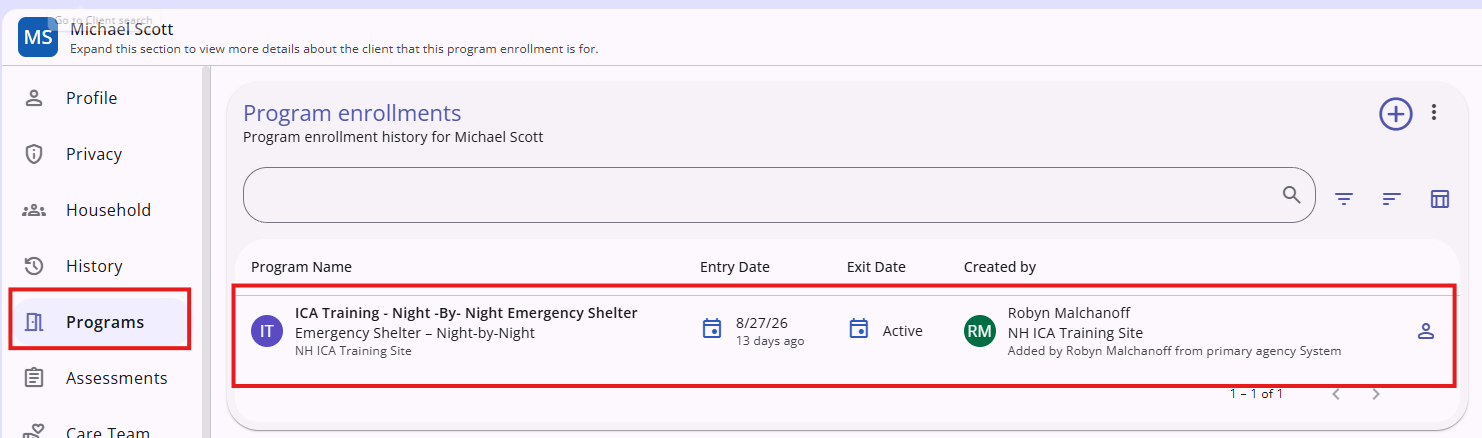
- Locate the enrollment in the client's Programs tab on the left sidebar. Click on the program to open the enrollment.
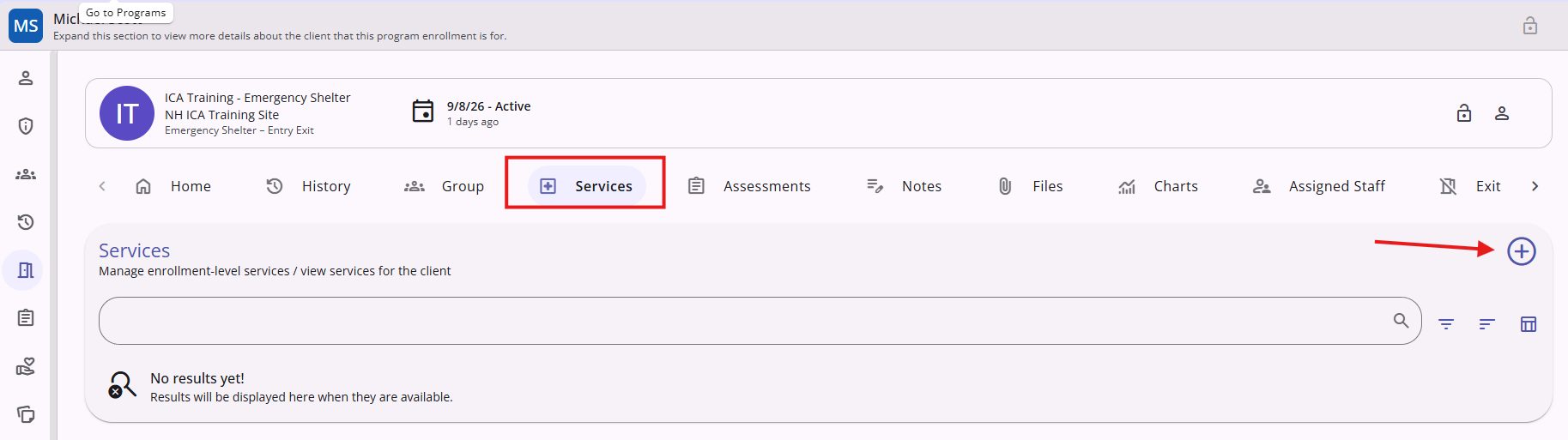
- Within the enrollment, click the Services tab and then click the Add(+) icon. A list of service items appears.
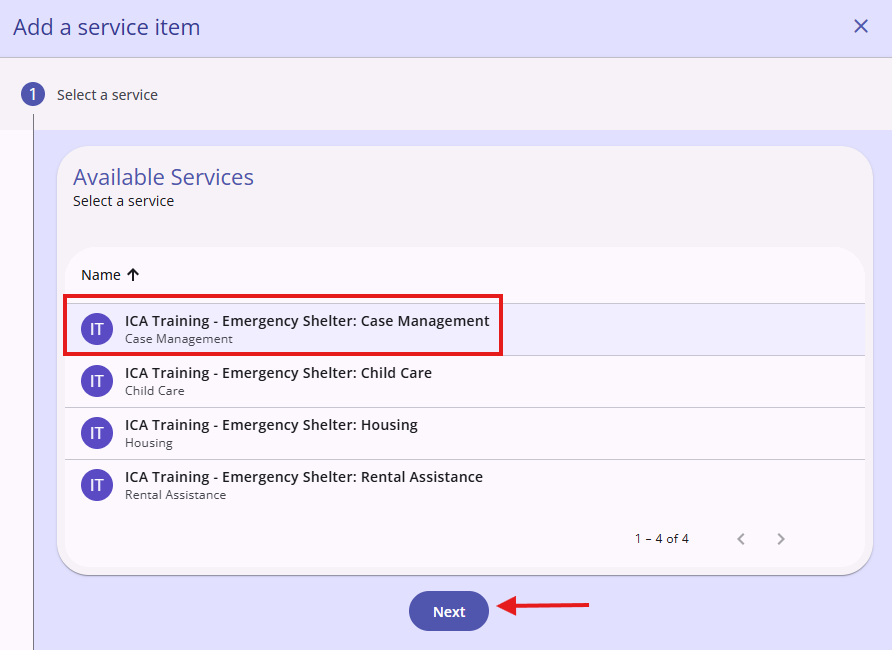
- From the list of services, click the name of the service item you want to record and then click Next
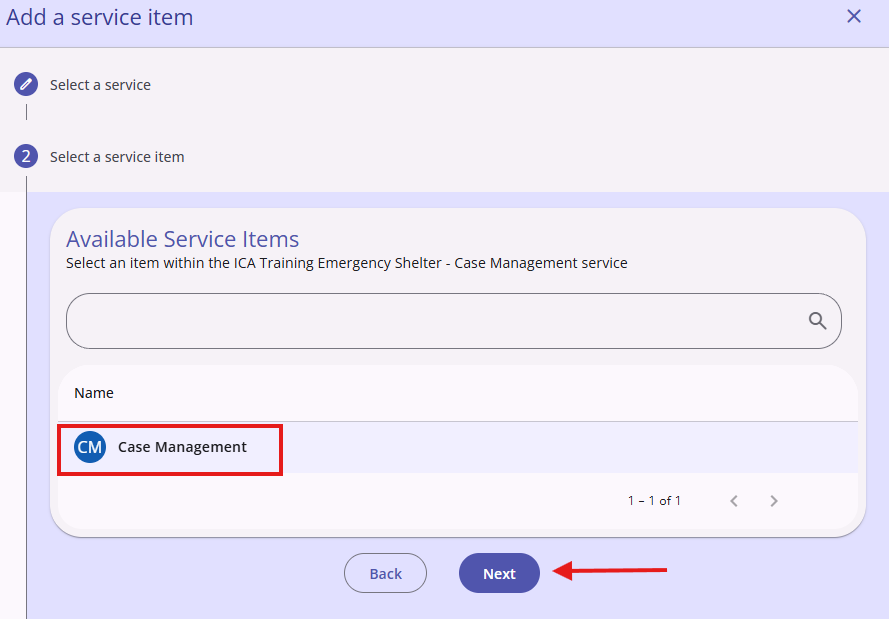
- If the Category contains multiple service items, you will also need to click the name of the service item you want to record and click Next
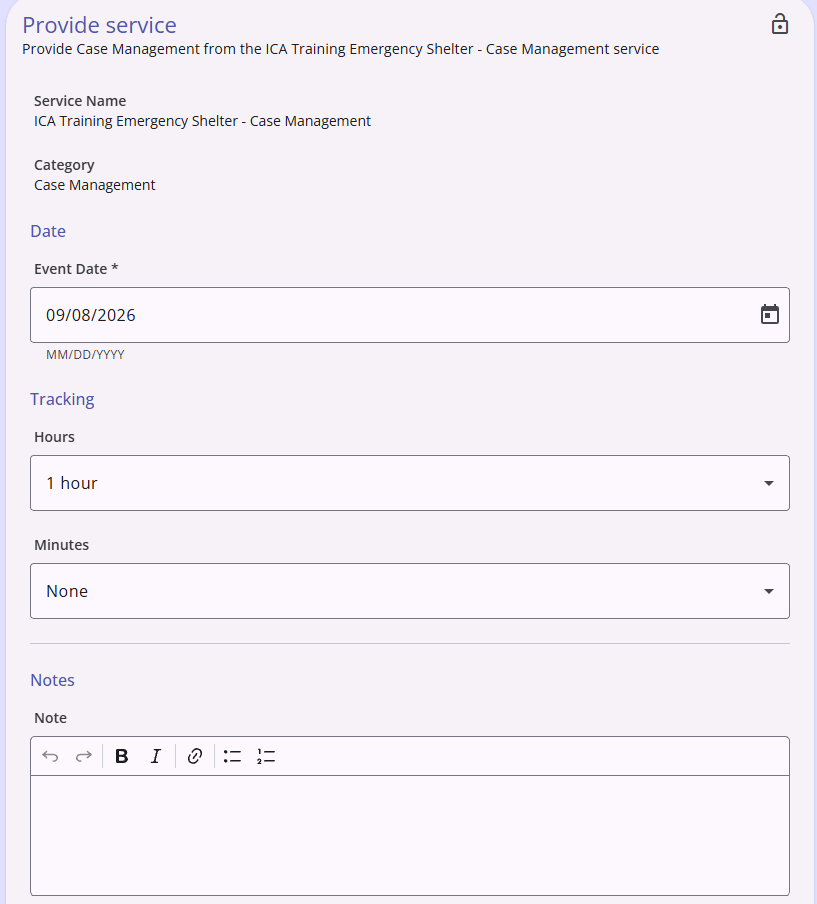
- Fields will appear for you to complete.
Copyright © Institute for Community Alliances, 2026. All Rights Reserved.