.png)
15. Client Exit and Destinations
All materials developed by ICA are based on the Bitfocus Clarity HMIS platform and reflect the most current information available to us. Materials are updated as new information, guidance, and functionality are released by the vendor. Because the system continues to evolve, there may be updates or changes to the interface or functionality that are not yet reflected in these materials. ICA will continue to review and update these resources as additional information becomes available from Bitfocus.
A client exit in HMIS documents the date a client stops receiving services from a program. Completing an accurate and timely exit ensures the client's enrollment reflects their actual participation, captures required HUD exit information, and supports reliable reporting, data quality, and program performance. Exit assessments should be completed according to program requirements and only after all services have ended.Exit destinations are important data fields that are associated multiple project and system level performance measures.
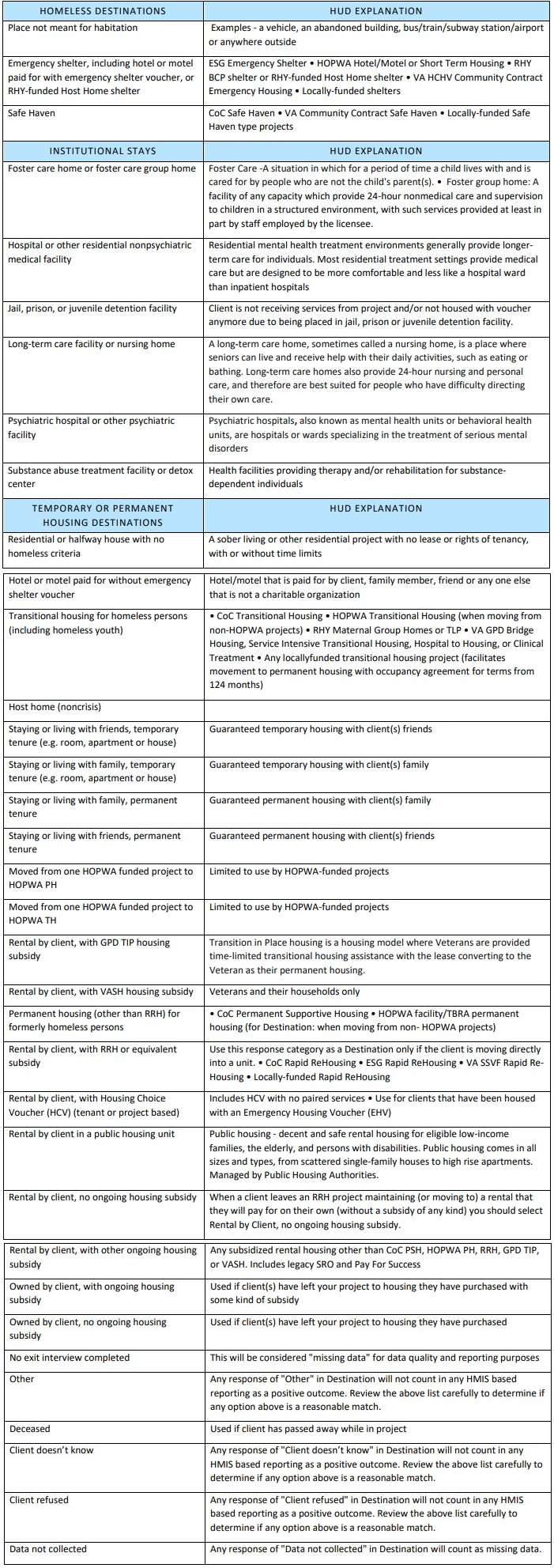
The ICA Exit Destinations crosswalk provides examples of how HUD's many possible exit destination's should be used. In almost all cases you should pick the one that best describes the situation and avoid using "other."
HMIS Workflow
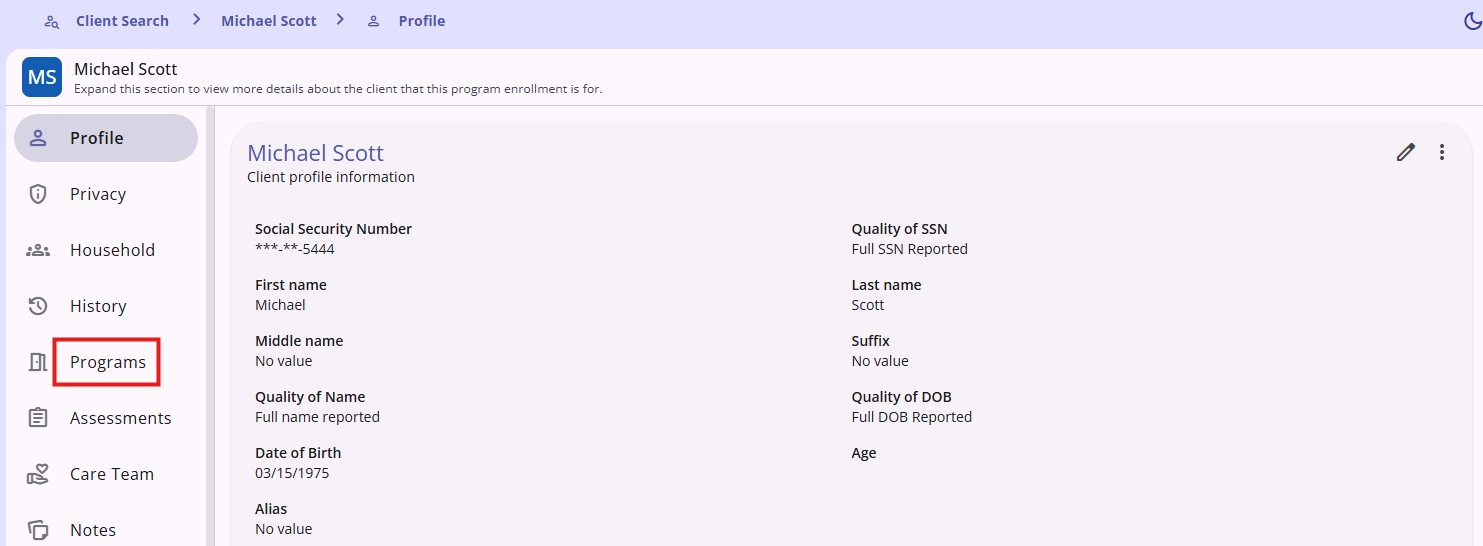
- Click on the programs tab on the client navigation menu
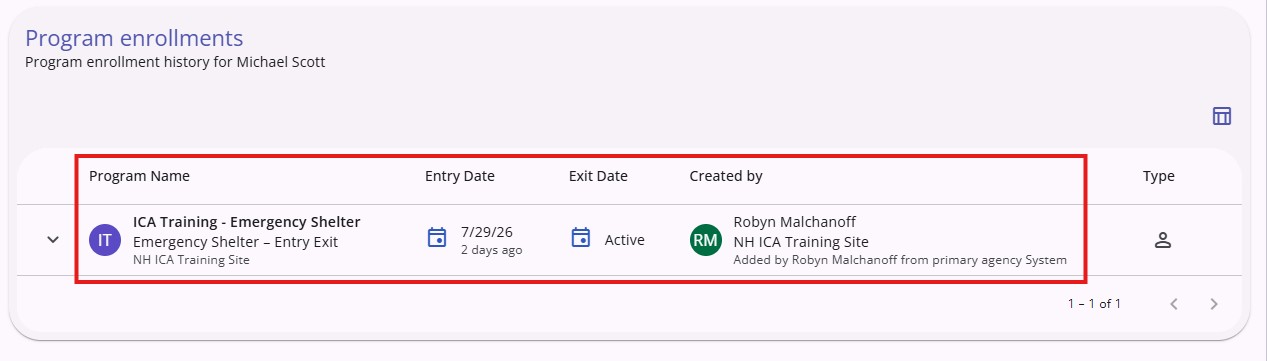
- Click on the Program enrollment
- Click the Exit tab

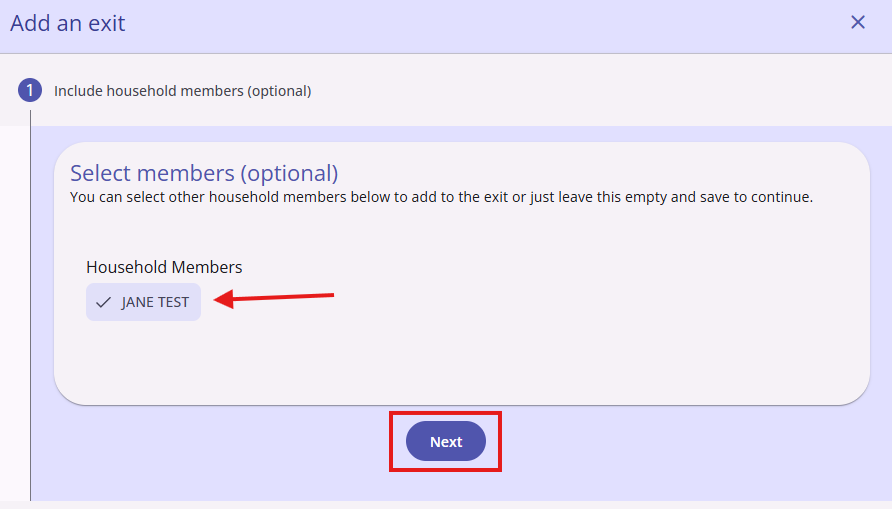
- When exiting a household, the option to exit several household members will appear. Click the name of the member(s) you want to exit. You can select all or just some of the clients to be exited from the enrollment. Once you click Next, the exit screens for the clients you selected will be displayed for each household member.
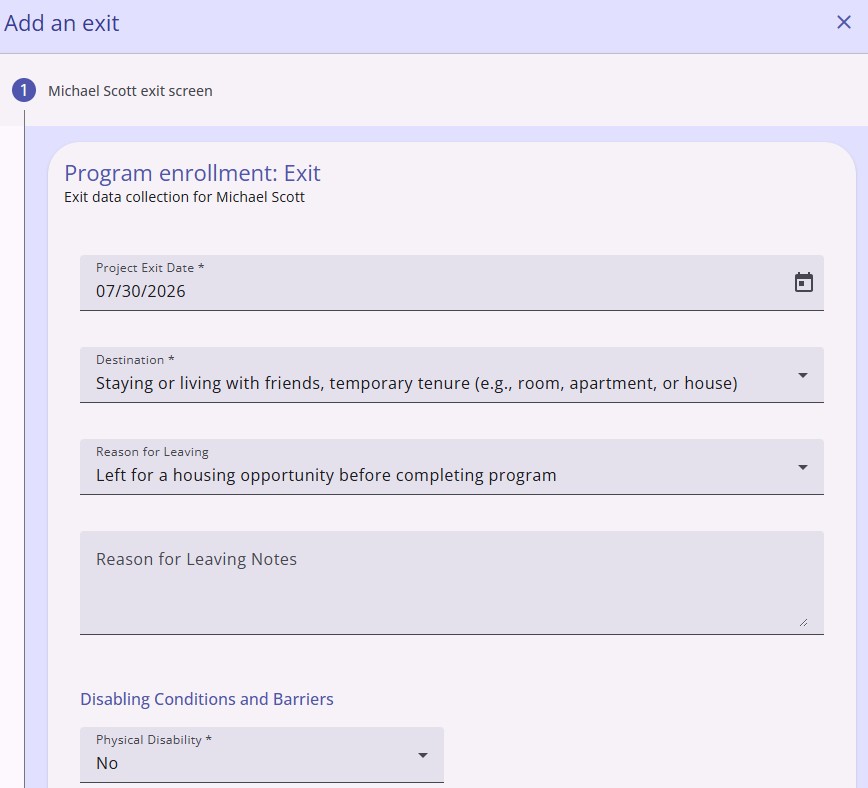
- Complete the Exit assessment
- Click Save & Next
- Click Complete
Copyright © Institute for Community Alliances, 2026. All Rights Reserved.